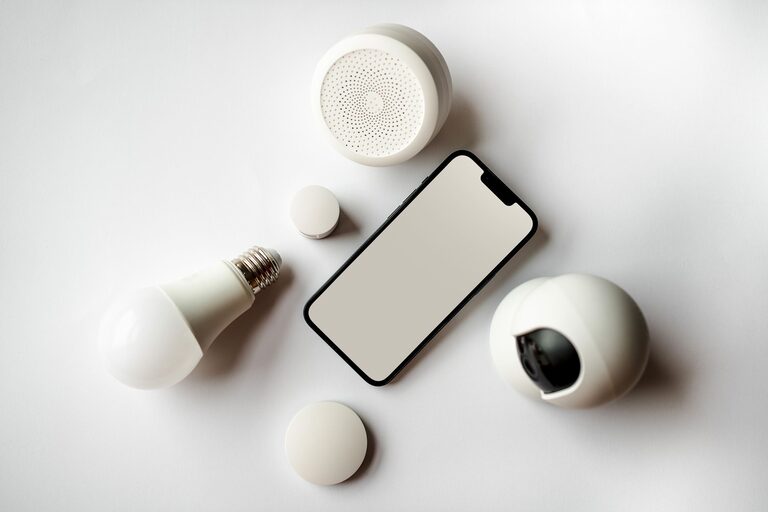
A smart home does not need to feel like a science project. The best devices are often the ones that quietly handle small tasks, such as turning off lights, adjusting room temperature, or reminding you when a door is open.
You do not need a complete home automation system to enjoy these benefits. Starting with a few practical devices can make daily routines easier while keeping setup and maintenance manageable.
What Makes a Smart Home Device Simple?
Before choosing a device, look for features that reduce effort rather than add to it. A useful smart home product should be easy to install, simple to control, and dependable during everyday use.
Consider these qualities:
– Straightforward setup: The device should include clear instructions and a guided mobile app.
– Reliable controls: You should be able to use a physical button, voice command, or app without confusion.
– Useful automation: Scheduling and routines should solve real problems, not create extra work.
– Broad compatibility: Devices that work with common platforms are easier to expand later.
– Manual control: A smart feature should not remove basic controls when you want to operate something yourself.
– Reasonable maintenance: Devices should not require frequent charging, resets, or troubleshooting.
The goal is not to automate every part of your home. It is to choose a few tools that fit naturally into the way you already live.
Smart Plugs for Everyday Appliances
Smart plugs are among the easiest ways to add automation to an existing appliance. They connect between a wall outlet and a device, allowing you to control power through an app or schedule.
They work well with items such as:
– Table lamps
– Fans
– Coffee makers with a physical power switch
– Decorative lights
– Chargers
– Small kitchen appliances
For example, you can schedule a lamp to turn on before you arrive home or set a fan to switch off after you fall asleep. A smart plug can also help create a simple “good night” routine that turns off selected devices at once.
When choosing one, check its power rating and make sure it is suitable for the appliance. Avoid using a basic smart plug with devices that require special controls or continuous supervision.
Smart Bulbs for Flexible Lighting
Smart bulbs can make lighting more convenient without requiring new switches or wiring. Many models let you adjust brightness, create schedules, and control lights from a phone or voice assistant.
Their most useful features are often simple:
– Turning lights on before you enter a room
– Dimming lights during the evening
– Scheduling outdoor or entryway lighting
– Switching off several lights with one command
– Creating a soft wake-up routine
You do not need color-changing bulbs to benefit from smart lighting. A dimmable white bulb may be enough for bedrooms, living rooms, and work areas.
Keep in mind that smart bulbs need power to remain connected. If someone turns off the wall switch, the bulb may no longer respond through the app. For shared spaces, choose a setup that everyone in the household can use comfortably.
Smart Thermostats for Simple Scheduling
A smart thermostat can help make temperature control more convenient by learning schedules or following routines. Many models can be adjusted from a phone, which is helpful when plans change.
The most practical features include:
– Setting different temperatures for daytime and nighttime
– Creating weekday and weekend schedules
– Adjusting the temperature before returning home
– Receiving reminders about filter changes
– Viewing basic system status
A smart thermostat does not have to manage every detail automatically. You can use it as a programmable thermostat with remote access and add more features only if they are useful.
Compatibility is especially important. Before buying, check whether the thermostat works with your heating and cooling system. If the wiring or installation is unclear, follow the manufacturer’s instructions or consult a qualified installer.
Smart Doorbells and Simple Entry Awareness
A smart doorbell can provide a convenient way to see who is at the door, whether you are nearby or in another room. Most models include a camera, motion alerts, and two-way audio.
These devices can be useful for:
– Seeing visitors without opening the door
– Receiving alerts when a package arrives
– Checking activity near the entrance
– Speaking to someone when you are busy elsewhere
To keep the experience simple, adjust notification settings after installation. Too many alerts can make the device feel distracting. You may be able to select activity zones, quiet hours, or specific alert types.
Privacy settings also deserve attention. Review how recordings are stored, who can access the account, and how long clips are retained. Strong passwords and two-step account protection can help keep the system better secured.
Smart Sensors for Small, Helpful Alerts
Small sensors can provide useful information without requiring a large automation system. A door or window sensor can notify you when something is opened, while a motion sensor can turn on a light in a hallway.
Other common options include:
– Water leak sensors near sinks or appliances
– Temperature sensors for rooms that need closer monitoring
– Open and close sensors for cabinets or gates
– Motion sensors for closets, hallways, and entry areas
The best use for sensors is often a simple alert or action. For instance, a hallway light can turn on when motion is detected, or a phone can receive an alert when a basement door opens.
Start with one or two sensors in areas where they solve a clear problem. Adding too many at once can create unnecessary notifications and make the system harder to understand.
Smart Speakers as a Convenient Control Center
A smart speaker can provide voice control for compatible lights, plugs, thermostats, and other devices. It can also handle basic tasks such as timers, reminders, music, and weather updates.
Voice control is most useful when your hands are occupied. You might ask a speaker to turn off a light while preparing dinner or set a timer while doing household chores.
For a smoother experience:
– Use clear, consistent device names.
– Group lights by room.
– Keep commands short.
– Review voice assistant privacy settings.
– Give household members a simple guide to common commands.
A smart speaker is optional. If you prefer buttons and phone controls, you can build a useful smart home without one.
Build One Routine at a Time
The easiest way to avoid complexity is to begin with one routine. Choose a repeated task that takes time or is easy to forget.
Good starting routines include:
– Leaving home: Turn off selected lights and plugs.
– Bedtime: Dim lights and switch off common areas.
– Morning: Turn on a lamp and adjust the thermostat schedule.
– Movie time: Dim the living room lights with one command.
– Entryway: Turn on a light when motion is detected.
Test each routine for a few days before adding another. If it works reliably and saves effort, keep it. If it creates confusion, simplify or remove it.
Keep Your Smart Home Manageable
A simple smart home depends as much on organization as on devices. Use one main control platform when possible, keep app permissions limited, and label devices consistently.
It also helps to:
– Save setup instructions in an accessible place.
– Update device software when prompted.
– Replace batteries before they run out completely.
– Keep manual switches and controls available.
– Remove devices you no longer use.
– Review notifications regularly.
Smart home technology should support your routines, not become another routine to manage. By choosing practical devices and adding them gradually, you can create a home that feels more comfortable and convenient while remaining easy to understand.
About the Author