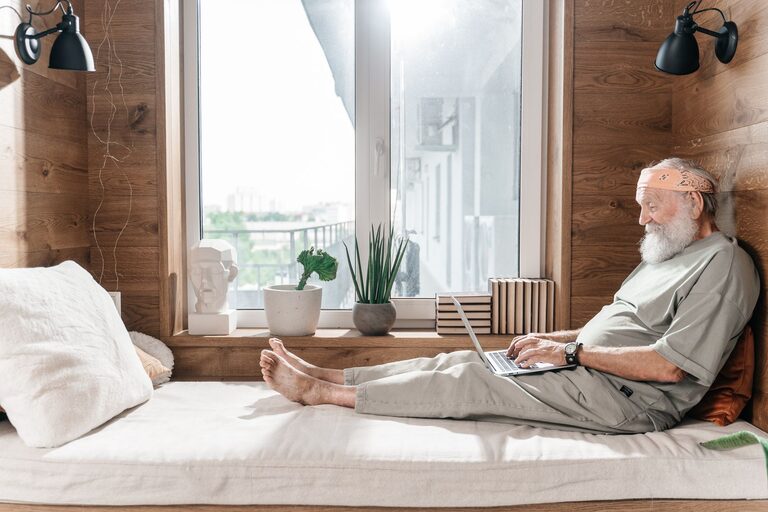
Working from home can be comfortable and productive at any age. After 50, it is especially helpful to create a workspace that is easy to use, well organized, and suited to your daily routines. A thoughtful home office can reduce distractions, make technology less stressful, and help you work with greater confidence.
You do not need expensive furniture or advanced equipment to get started. A few practical changes can improve comfort, protect your information, and make the room more enjoyable.
Choose the Right Location
Begin by choosing a space that supports concentration and privacy. A separate room is useful, but it is not essential. A quiet corner of a bedroom, living room, or finished basement can work well if it has enough space for a desk and chair.
Consider these factors:
– Noise: Choose an area away from televisions, busy hallways, and household appliances.
– Lighting: Natural light is pleasant, but avoid placing a screen directly in front of a bright window.
– Privacy: Select a location where visitors or other household members are less likely to see sensitive documents.
– Access: Make sure the path to the desk is clear and easy to navigate.
– Temperature: Avoid areas that are unusually hot, cold, or drafty.
If your office shares a room with another activity, use a bookcase, folding screen, or small cabinet to define the work area. A clearly marked workspace can make it easier to begin and end the workday.
Select a Supportive Desk and Chair
Your desk should provide enough room for your computer, keyboard, mouse, notebook, and a drink. Avoid choosing a desk that is so large it makes the room difficult to move around. A compact desk with built-in storage may be a better option than a larger model.
A comfortable chair is one of the most important office investments. Look for a chair with:
– Adjustable seat height
– A firm, supportive back
– Comfortable armrests
– A stable base
– Easy-to-clean fabric or material
When seated, your feet should rest flat on the floor or on a stable footrest. Your shoulders should remain relaxed while using the keyboard. If your desk is too high, a separate keyboard and mouse can help you position your hands more comfortably.
Avoid using a dining chair for long work sessions unless you add appropriate support and adjust the setup carefully. A chair that feels fine for a short meal may not be suitable for several hours of computer work.
Keep Frequently Used Items Nearby
Place your phone, notebook, pens, and frequently used equipment within easy reach. This reduces unnecessary stretching and keeps the desk organized. Items used less often can go in a drawer or cabinet.
Use a small tray or container for charging cables, spare batteries, and other accessories. Simple storage solutions prevent clutter from spreading across the work surface.
Improve Lighting and Screen Placement
Good lighting makes reading and computer work easier. Use a combination of natural light, ceiling light, and a desk lamp when needed.
Place a desk lamp to the side of your main hand rather than directly behind the screen. This can help reduce shadows while writing. Choose a lamp with adjustable direction so you can aim the light where it is needed.
Position your monitor so the top of the screen is close to eye level. The screen should be far enough away that you can read comfortably without leaning forward. If you use a laptop, consider adding a laptop stand and a separate keyboard and mouse.
Reduce glare by:
– Moving the screen away from direct sunlight
– Adjusting blinds or curtains
– Changing the angle of the monitor
– Cleaning the screen regularly
– Using moderate screen brightness
If you use printed documents, place them on a stand beside the screen. This can make it easier to switch between reading and typing without constantly looking down.
Make Technology Easier to Use
A home office should simplify your routine, not make it more complicated. Use equipment that matches your needs and learn the basic functions before adding more devices.
A simple setup may include:
– A reliable computer
– A comfortable keyboard and mouse
– Headphones or small speakers
– A printer or scanner if required
– A surge protector
– A backup drive or secure cloud storage
Label cables when several devices are connected. A small label showing “monitor,” “printer,” or “charger” can save time when troubleshooting. Use cable clips or a cable box to keep cords off the floor and reduce tripping hazards.
Keep software updated, including the operating system, web browser, and security tools. Turn on automatic updates when practical. Use strong, unique passwords for important accounts and store them in a reputable password manager if you are comfortable doing so.
Protect Your Privacy and Devices
Security is an important part of a home office, especially when you handle personal information, work documents, or online accounts.
Start with the following habits:
– Lock your computer whenever you step away.
– Use a password or passcode that is difficult for others to guess.
– Enable two-step verification on important accounts.
– Keep private papers in a drawer, cabinet, or locked file box.
– Shred documents that contain personal details before disposal.
– Avoid sharing account passwords by email or text.
– Be cautious with unexpected links, attachments, and phone calls.
Your home Wi-Fi network also deserves attention. Change the default router password, use the security settings recommended by the manufacturer, and keep the router’s software updated. If guests regularly use your network, consider creating a separate guest network.
Place the router in a secure, central location rather than in an exposed area near a doorway or window. This can make it easier to manage access to your connection.
Reduce Clutter and Tripping Risks
A safe workspace should have clear floors and stable furniture. Keep cords along walls or under the desk, and avoid running them across walkways. Secure loose rugs with nonslip backing or remove them from the office.
Store heavy items on lower shelves. Keep frequently used supplies at a comfortable height, and avoid placing boxes where you must climb or stretch to reach them. A small step stool with a wide, stable base is safer than standing on a chair.
Check the office every few months for loose screws, damaged cords, wobbly furniture, or overloaded power strips. Replacing a worn item early is usually easier than dealing with a preventable problem later.
Build Healthy Work Habits
A comfortable office also depends on how you use it. Change position regularly, stand during phone calls, and take short breaks from the screen. A timer or calendar reminder can help you remember to pause during busy days.
Use breaks to:
– Walk around the room
– Refill your water
– Look away from the screen
– Stretch gently
– Tidy the desk
– Open a window when appropriate
Keep a simple daily schedule near the computer. List your most important tasks, planned breaks, and meeting times. This creates structure without requiring complicated productivity systems.
Review Your Setup Regularly
Your needs may change as your work, hobbies, or technology change. Review the office twice a year and ask a few basic questions:
– Is the chair still comfortable and stable?
– Can I reach everything I use regularly?
– Are cords and walkways clear?
– Are important documents stored securely?
– Are my passwords and devices protected?
– Does the lighting work well at different times of day?
Small improvements can make a significant difference. By combining comfortable furniture, practical organization, reliable technology, and everyday security habits, you can create a home office that feels welcoming and works well for years to come.
About the Author